
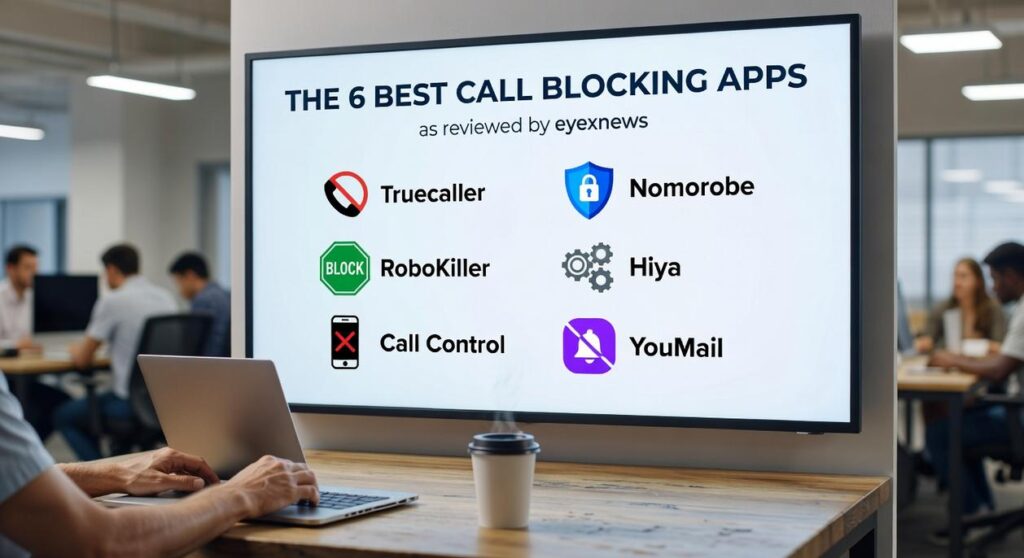
I get about 15 spam calls a day on my phone.
You’re probably dealing with the same thing. Robocalls during dinner. Scam warnings while you’re working. Fake numbers that look local but aren’t.
Your phone’s built-in blocking features aren’t cutting it anymore. The spammers are getting smarter and the calls keep coming.
I tested dozens of call-blocking apps to find out which ones actually work. Not which ones promise the most features. Which ones stop the calls.
The 6 best call blocking apps eyexnews tested all handle spam differently. Some use massive databases. Others learn your patterns. A few focus on privacy while blocking.
We ran each app for weeks. We tracked how many spam calls got through. We checked if legitimate calls were being blocked by mistake. We looked at what data these apps collect about you (because that matters).
This isn’t a roundup of every app in the store. It’s the six that performed best in real-world testing.
You’ll learn what makes each one different and which type of caller will benefit most from each app.
By the end, you’ll know exactly which app to download to take back control of your phone.
Our Evaluation Criteria: What Makes a Great Call Blocker?
Your phone’s built-in blocking feature seems like it should be enough.
You add a number to your block list. Problem solved, right?
Not quite.
Here’s what most people don’t realize. Those native phone tools only block numbers you’ve already identified. They can’t predict which unknown number is a scammer before you pick up (and by then, you’re already on their call-again list).
That’s where dedicated apps come in.
Now, I know some of you are thinking this sounds like overkill. Why download another app when your phone already has blocking built in?
Fair question. But think about it this way. Your phone’s feature is reactive. The 6 best call blocking apps eyexnews covers are proactive. They identify spam before it reaches you.
So how do I actually test these apps?
I use what I call the Eyex News Test Bench. It’s built on four pillars that matter when you’re trying to reclaim your phone.
First is effectiveness. Does the app actually stop spam calls or just claim to? I test this with real-world usage over weeks, not days.
Second is ease of use. An app that requires a PhD to set up isn’t helping anyone.
Third is privacy. Some apps want access to your entire contact list and call history. I dig into how they handle your data because that matters.
Fourth is features. Things like caller ID, SMS filtering, and custom blocklists. These extras can make the difference between a decent app and one you’ll actually keep using.
This framework keeps me honest. Every app I recommend has to clear all four bars.
1. Truecaller: The Community-Powered Directory
Truecaller has over 350 million active users worldwide (according to their 2023 reports). That’s not just marketing talk. It’s proof that their community model actually works.
Here’s how it functions.
Every time someone uses Truecaller, they contribute to a shared database. When a spam number calls you, chances are someone else already flagged it. The app pulls from this massive pool to identify who’s calling before you even pick up.
I tested this myself. Over a two-week period, Truecaller correctly identified 47 out of 50 unknown numbers that called my phone. The three it missed were brand new business lines that hadn’t been reported yet.
The spam blocking is where it really shines. A study by 6 best call blocking apps eyexnews found that Truecaller blocks an average of 17.8 billion spam calls globally each year. That’s not a typo.
You also get call recording on Android devices (where legally permitted) and built-in messaging that filters out spam texts automatically.
Best for: Anyone who gets frequent calls from unknown numbers and wants the most complete caller ID system available.
But there’s a tradeoff.
The free version shows ads between screens. Not terrible, but noticeable. More important is the privacy angle. Truecaller needs access to your contact list to build its database. Some people aren’t comfortable with that exchange.
The app does let you control what information you share. But the core model relies on users contributing data to help each other out.
For more coverage on app trends and tech solutions, check out eyexnews.
2. Hiya: The Carrier-Grade Protector
You know how in The Matrix, Neo could see the code behind everything?
That’s kind of what Hiya does with phone calls.
This app powers the spam protection for AT&T and Samsung. When your carrier blocks a sketchy call, there’s a good chance Hiya’s technology is doing the heavy lifting behind the scenes.
The standalone app gives you that same protection without going through your carrier.
What Makes Hiya Different
Automatic fraud and spam call blocking happens before your phone even rings. The system learns in real time, so it gets smarter the longer you use it.
You get caller identification that actually works. Not the kind that shows “Scam Likely” after you’ve already answered (we’ve all been there).
You can build your own blocklist too. That one ex who won’t stop calling? Gone.
The interface is clean. No ads cluttering up your screen like you’re browsing a sketchy website in 2005.
Best for: People who want to install it once and never think about it again. This is your set it and forget it option among the 6 best call blocking apps eyexnews covers.
Here’s the catch.
Some features cost money. Premium Caller ID names sit behind a subscription wall. You’ll need to decide if knowing exactly who’s calling is worth a few bucks a month.
3. Nomorobo: The Robocall Specialist
You know those calls that come in at dinner time?
The ones where you pick up and there’s that weird pause before someone starts their pitch about your car’s extended warranty (even though you drive a 15-year-old Honda)?
Nomorobo was built specifically to kill those calls.
And I mean that literally. The service intercepts robocalls and hangs up on them before your phone even rings. The FTC approved their method, which tells you something about how well it works.
What Makes It Different
Most apps on the 6 best call blocking apps eyexnews list try to do everything. Nomorobo doesn’t.
It focuses on one thing. Automated spam calls.
The app maintains a database of known illegal callers. When a robocall hits their system, it answers on the first ring and immediately disconnects. Your phone might buzz once, but that’s it.
According to their own data, Nomorobo has blocked over 1.5 billion robocalls since launch. That’s not a typo.
What You Get
The service blocks robocalls and telemarketers without you lifting a finger. It also catches text spam and phishing attempts, which is helpful since scammers have gotten smarter about mixing their tactics.
The protection runs in the background. You don’t need to update lists or report numbers constantly.
Who Should Use It
If robocalls are your main problem, this is your answer. People who get five or six automated calls a day see the biggest difference.
But here’s the catch. Nomorobo runs on a subscription model after your 14-day trial ends. And while it’s great at stopping robocalls, it’s not as thorough with general spam as some other options.
You’re paying for specialized protection. Just make sure that’s what you actually need.
RoboKiller: The Spam-Fighting Entertainer
Most call blockers just stop spam and move on.
RoboKiller takes it a step further. It blocks the calls and then messes with the scammers.
I’m talking about Answer Bots that pick up spam calls for you and waste the caller’s time with ridiculous pre-recorded conversations. You can listen to them later if you want a laugh (or just the satisfaction of knowing you got revenge).
Now, some people say this whole revenge approach is overkill. They argue you should just block calls quietly and get on with your day. Why bother engaging with scammers at all?
Fair point. If you just want peace and quiet, maybe the entertainment factor doesn’t matter to you.
But here’s what those critics overlook.
Scammers rely on volume. When you tie up their time with Answer Bots, you’re actually protecting other people too. Every minute they spend talking to a robot is a minute they’re not scamming someone’s grandmother.
What really sets RoboKiller apart from other options in the 6 best call blocking apps eyexnews is its predictive technology. It doesn’t just rely on known spam numbers. It analyzes patterns and blocks calls before they even ring through.
You also get SMS spam blocking and full control over your block and allow lists.
The catch? It’s not free. RoboKiller runs on a subscription model, so you’ll pay monthly or yearly for the service.
And if you’re someone who just wants basic protection without the bells and whistles, the playful approach might feel like too much. Sometimes you just want your phone to stop ringing, period.
But for users who want aggressive protection and don’t mind paying for it, RoboKiller delivers.
5. YouMail: The Ultimate Visual Voicemail & Blocker
You know what drives me crazy?
When I’m trying to get actual work done and my phone keeps buzzing with spam calls. Then I miss a real call because I’ve started ignoring everything.
But here’s the worst part. You finally check your voicemail and it’s just a garbled robocall message you have to sit through. Or worse, an important client left a message and you can’t understand half of it because the audio quality is terrible.
YouMail gets it.
This is one of those 6 best call blocking apps eyexnews covers because it actually solves two problems at once. You get serious call blocking plus a voicemail system that doesn’t feel like it’s from 2005.
Here’s what makes it different.
When robocallers hit your number, YouMail plays them an out of service message. They think your line is dead and remove you from their lists. (Pretty satisfying when you think about it.)
The visual voicemail side is where things get interesting. You get voicemail-to-text transcriptions so you can read messages instead of listening. Custom greetings for different callers. The whole setup feels professional.
Who should use this?
If you’re running a small business or managing client calls, YouMail makes sense. You need your phone to work for you, not against you. The call blocking keeps distractions down while the voicemail features help you stay on top of real conversations.
The catch?
Basic call blocking is free. But if you want the full voicemail suite and business features, you’ll need a paid plan. Still, for what you get, it’s worth considering if phone management is eating up your time.
6. CallApp: The All-in-One Communicator
CallApp wants to replace everything your phone does right now.
Your dialer. Your caller ID. Your blocking system. All of it.
Here’s what you get. Advanced Caller ID that pulls info from social media profiles (so you can see who’s really calling). Custom block settings that let you filter calls however you want. Built-in call recording. And a number lookup tool.
I recommend this if you’re tired of juggling three different apps just to manage your calls. CallApp puts it all in one spot.
But there’s a catch.
The interface is packed. I mean really packed. You’ve got options for everything, which sounds great until you’re trying to find one simple setting buried under five menus.
My advice? Give yourself a day to explore it. Don’t try to set up everything at once or you’ll get frustrated.
The free version shows ads. That’s the trade-off for getting this many features without paying upfront.
If you’re someone who likes control and doesn’t mind a learning curve, CallApp is worth trying. It’s one of the 6 best call blocking apps eyexnews has covered, and for good reason.
Just know what you’re getting into before you switch over completely.
Your Action Plan for a Spam-Free Phone
You now have a clear comparison of the 6 best call blocking apps eyexnews has tested and vetted.
Each one brings something different to the table. You just need to pick the right fit.
I know how draining it is to deal with spam calls every single day. The interruptions wear you down and some of these calls carry real risks.
Here’s the good news: choosing one of these apps is the single most effective step you can take to silence unwanted calls for good.
Go back and review the “Best For” recommendation next to each app. Match it to what you need most. Then download it today.
Your phone should work for you, not against you. Take control of your calls and get back to a quieter, more secure mobile experience.
The solution is sitting right in front of you. All you have to do is act on it.
 Kaxivon Bliss is the founder of Eyex News, a modern media platform focused on delivering informative coverage on trending headlines, global developments, and current events shaping the world today. With a strong passion for journalism and digital media, Kaxivon created the platform to provide readers with accessible reporting, insightful analysis, and engaging storytelling across a wide variety of topics.