
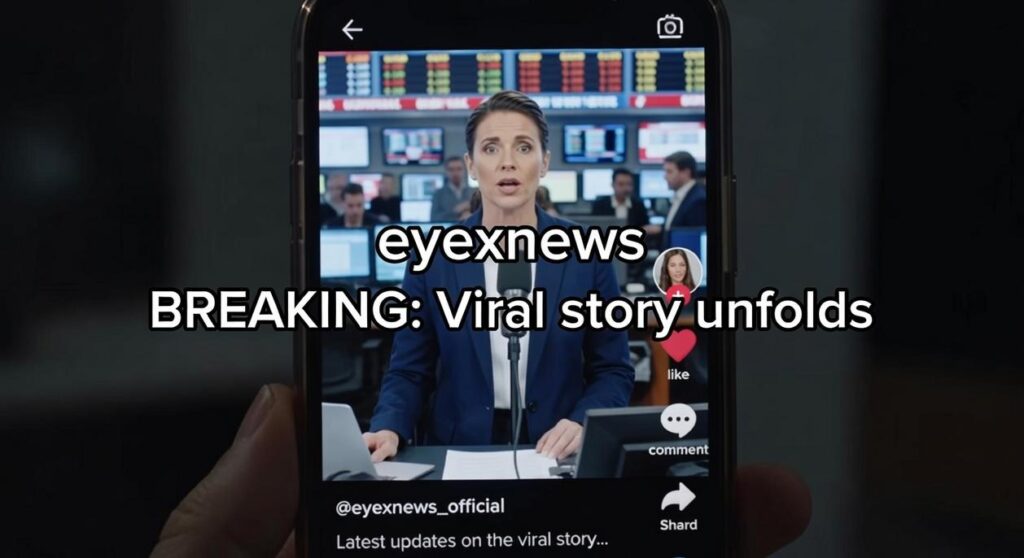
I noticed something weird when I started analyzing why some TikToks blow up and others die in the first three seconds.
The videos getting skipped weren’t bad. They just didn’t have subtitles.
Here’s the thing: most people watch TikTok with the sound off. You might have great content, but if viewers can’t follow along silently, they’re gone.
One in five people has some level of hearing loss. That’s 20% of your potential audience scrolling past your videos before they even know what you’re saying.
I’ve spent months breaking down what separates videos that get watched from videos that get skipped. The pattern is clear. TikTok subtitles work.
This guide shows you exactly how to add captions to your videos. The native tools. The third-party apps. The methods that actually keep people watching.
We studied thousands of high-performing videos to figure out what makes captions stick. Not just any captions. The ones that turn casual scrollers into followers.
You’ll learn the technical steps and why they matter for your reach. No fluff about going viral. Just the practical stuff that improves your watch time starting with your next video.
Eyex News tracks what’s working right now across social platforms. We watch the patterns so you don’t have to guess.
Let’s fix those skipped videos.
The Silent Majority: The Undeniable Case for TikTok Subtitles
I posted a video last month that flopped.
The content was solid. The hook worked. But my watch time was terrible and I couldn’t figure out why.
Then someone commented: “Can’t hear this, I’m at work.”
That’s when it hit me.
I’d been ignoring half my audience. Maybe more than half.
Here’s what most creators don’t realize. About 85% of Facebook videos get watched without sound (Digiday, 2016). TikTok users aren’t that different. We scroll in waiting rooms, during lunch breaks, on the train. Anywhere pulling out your phone makes sense but turning on sound doesn’t.
Without subtitles? Your message disappears.
I know some of you are thinking subtitles look cluttered or unprofessional. That they ruin the aesthetic you’ve worked hard to build.
But consider this. The deaf and hard-of-hearing community makes up roughly 15% of the global population (WHO). When you skip subtitles, you’re literally telling them your content isn’t for them.
That’s not just bad practice. It’s exclusion.
After I started adding tiktok subtitles eyexnews style captions to every video, something changed. My completion rates jumped. People who stuck around actually remembered what I said.
Turns out reading while watching helps your brain lock in information. You’re processing the message twice.
And here’s the bonus I didn’t expect. TikTok’s search function reads your captions. Every word becomes searchable. So when someone types in a question you answered three months ago, your video can still show up.
I’m not saying subtitles will fix a boring video.
But they will make sure your good content actually gets seen. By everyone.
Even the person sitting next to their sleeping baby at 2am who can’t risk waking them up.
Method 1: The Fast & Easy Way with TikTok’s Auto-Captions
TikTok built auto-captions right into the app.
You don’t need to download anything or pay for extra tools. It’s already there waiting for you.
Here’s how to turn it on.
Step 1: Record or upload your video like you normally would.
Step 2: Tap Next to get to the editing screen.
Step 3: Look for the Captions button on the right side of your screen (it usually sits between the Effects and Text options).
Step 4: Tap Captions and watch TikTok generate your subtitles automatically.
That’s it. Your video now has captions.
But don’t hit publish just yet.
The part everyone skips
Auto-captions get things wrong. A lot.
I’m talking about words that sound similar but mean completely different things. Names that get butchered. Punctuation that makes your sentences look like word salad.
You need to fix these before anyone sees them.
Tap on the caption text that appears on your video. TikTok will let you edit each line directly. Go through every caption and check for mistakes. Fix typos. Add commas where they belong. Change words that the AI misheard.
This step separates amateur content from professional work. People notice bad captions (even if they don’t say anything).
What you get and what you give up
The good stuff? TikTok subtitles eyexnews shows are free, fast, and simple. You can add captions in under a minute if you’re quick with edits.
The downsides? You can’t change fonts or colors much. You can’t add your branding. And sometimes the AI makes errors so bad you’ll wonder if it was even listening.
For quick posts and casual content, auto-captions work fine. For anything you’re putting real effort into, you might want more control.
Speaking of control, there are other methods that give you exactly that. But we’ll get to those in the next section from world reports eyexnews.
Method 2: Elevate Your Brand with Third-Party Subtitle Apps
TikTok’s built-in captions work fine.
But fine doesn’t build a brand.
If you want people to recognize your videos the second they scroll past them, you need more control. That’s where third-party apps come in.
Why bother with another app?
Simple. You get to own your look.
Custom fonts that match your vibe. Color palettes that pop against your background. Text animations that make people actually READ your captions instead of scrolling past.
(Think karaoke-style reveals or word-by-word highlights that guide the viewer’s eye.)
Some creators argue this is overkill. They say TikTok’s auto-captions are good enough and adding extra steps just slows you down.
Fair point.
But here’s what they’re missing. When you’re building a brand, consistency matters MORE than speed. Your audience should be able to spot your content without even seeing your face.
What makes a captioning app worth your time?
Look for these features:
Custom typography. You want fonts that aren’t available to everyone else.
Saved presets. Once you nail your style, you shouldn’t have to rebuild it every single time.
Color customization. Not just white text on black boxes. Full control over backgrounds, outlines, and shadows.
Text animations. Static captions are boring. Movement keeps eyes on screen.
The workflow is pretty straightforward.
First, finish editing your video completely. Don’t add captions until everything else is locked.
Second, upload to your captioning app. The AI will transcribe your audio automatically.
Third, fix any mistakes in the transcript. AI gets most words right but always double-check names and technical terms.
Fourth, style your captions. Apply your brand colors, pick your font, set your animation style.
Fifth, export with burned-in subtitles. This means the text becomes part of the video file itself.
Finally, upload to TikTok like normal.
When should you use this method?
If you’re creating educational content, clarity beats everything. Third-party apps give you bigger text and better contrast.
If you’re building a personal brand, you NEED a signature look. Check out how top creators use tiktok subtitles eyexnews style approaches to make their content instantly recognizable.
If you’re a business account, professional captions signal quality. They tell viewers you care about details.
The extra two minutes per video? Worth it when people start commenting “I knew this was yours before I even checked the username.”
That’s when you know your branding is working.
Best Practices for Subtitles That People Actually Read
Most people scroll right past videos with bad subtitles.
I see it happen all the time. You’ve got great content but nobody sticks around because they can’t read what’s on screen.
Here’s what I recommend.
Make Your Text Actually Readable
Start with bold fonts. I’m talking about clean, thick letters that pop against whatever’s happening in your video. You need a contrasting outline or background so your words don’t disappear when the scene changes.
Think about it. Your video might cut from a bright sky to a dark room in seconds. Your subtitles need to work in both.
Keep your captions short. One to two lines max. When you cram three or four lines on screen, people give up. Their eyes glaze over and they swipe away.
Now here’s where most people mess up.
The timing has to be perfect. Your subtitles need to sync exactly with what’s being said. Even a half-second delay feels off. Viewers notice that disconnect and it breaks their focus.
I’ve tested this with tiktok subtitles eyexnews and the difference is clear. When the words match the audio perfectly, people watch longer.
One more thing about placement.
Put your subtitles in the lower-middle third of the screen. Not at the very bottom where TikTok’s UI sits. Not covering someone’s face or the main action. You want them visible but not blocking what matters.
(This seems obvious but you’d be surprised how many creators get it wrong.)
Your subtitles should feel invisible. People read them without thinking about it. That’s when you know you’ve done it right.
Make Every View Count
You now have two methods to add accurate subtitles to any TikTok video.
Your message won’t get lost anymore.
Creating great content is pointless if people can’t consume it. Whether they’re watching with sound on or off, they need to understand what you’re saying.
TikTok subtitles solve this problem.
When you make your videos accessible and easy to follow, you improve the viewing experience. That means better performance across the board.
I’ve seen this work time and again. The data backs it up.
Here’s what you do next: Open your TikTok app right now. Pick a recent video and add captions using one of the methods you just learned.
Watch what happens to your engagement numbers.
Your audience is waiting. Give them content they can actually consume, and they’ll reward you for it.
The increase in views and interaction will speak for itself.
 Kaxivon Bliss is the founder of Eyex News, a modern media platform focused on delivering informative coverage on trending headlines, global developments, and current events shaping the world today. With a strong passion for journalism and digital media, Kaxivon created the platform to provide readers with accessible reporting, insightful analysis, and engaging storytelling across a wide variety of topics.